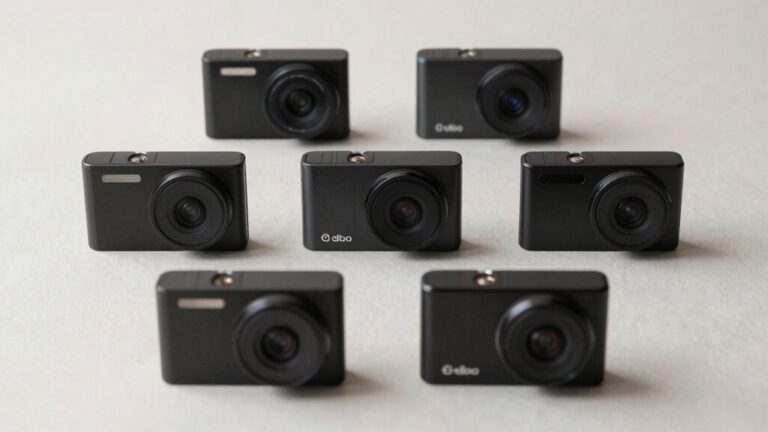
Loop recording is your dash cam’s automated system that divides video footage into short segments—typically 1 to 5 minutes each—and continuously overwrites the oldest files when your memory card reaches full capacity. This guarantees you’ll never miss critical moments due to storage limitations. The built-in G-sensor automatically locks footage during detected impacts, protecting important recordings from deletion. Your storage capacity directly affects recording duration, with a 128GB card providing approximately 24-36 hours of coverage. Understanding segment customization and file management will help you optimize your dash cam’s performance.
Understanding Loop Recording Technology
Loop recording serves as the foundational technology that enables dash cams to maintain continuous video surveillance without exhausting available storage capacity. This method works by segmenting video capture into manageable clips, typically ranging from 1 to 5 minutes each. When your memory card reaches full capacity, the system automatically overwrites the oldest files, ensuring uninterrupted recording without manual intervention.
You’ll find this approach eliminates gaps in coverage, providing reliable evidence for incidents during both short trips and extended journeys. The recording intervals you choose directly impact file manageability and overwrite frequency. By dividing footage into smaller segments, loop recording also minimizes file corruption risks and simplifies data retrieval when you need specific footage. The G-sensor locks critical footage during detected impacts, protecting important event recordings from being overwritten during the automatic deletion cycle. The amount of continuous recording available before looping begins depends on your memory card size and the video quality settings you select. For example, a 64GB card can store 4-10 hours of 1080p recording before the loop begins overwriting. Factors such as video resolution, frame rate, and compression also influence how quickly your storage fills up and begins the overwrite cycle. Modern dash cams with Wi-Fi connectivity allow you to review and transfer footage wirelessly to your smartphone before files get overwritten. This hassle-free storage management means you never need to manually delete files or monitor available space on your dash cam.
How Loop Recording Functions in Dash Cams
Your dash cam divides continuous footage into discrete video segments, typically ranging from one to five minutes in length, to maintain efficient storage management throughout operation. These files save sequentially to your memory card as the dash cam records. When storage capacity approaches its limit, loop recording automatically overwrites the oldest unprotected segments with new footage, ensuring uninterrupted recording without manual intervention.
You can adjust segment duration settings—commonly one, three, five, or ten minutes—based on your preferred file management approach. This segmentation facilitates quicker file retrieval, review, and deletion when necessary. A 128GB SD card typically provides 24-36 hours of recording capacity when using two channels, while a 256GB card extends this to 48-72 hours. Recording duration varies significantly based on resolution settings, with 4K resolution consuming more storage space and reducing total recording time compared to 1080p footage.
Loop recording eliminates the risk of missed footage that occurs when cameras stop recording due to full memory. The feature requires continuous power supply, often achieved through hardwiring kits, to maintain ongoing coverage during extended drives or parking periods. However, if G-sensor sensitivity is set too high, the dash cam may lock too many files as important and undeletable, potentially filling the card and stopping recording. A built-in G-sensor detects impacts and automatically locks important video files to prevent them from being overwritten during the loop recording cycle. High endurance SD cards are specifically engineered to handle the intensive read/write cycles that dash cams impose, offering superior durability against extreme temperatures and environmental conditions compared to standard memory cards. To maintain optimal performance and prevent file corruption from continuous read/write cycles, you should format your SD card every 2 to 4 weeks.
The Mechanics Behind Automatic File Overwriting
Understanding how segmentation works sets the stage for examining what triggers the overwriting process itself. When your memory card reaches full capacity, loop recording activates automatically—provided you’ve enabled it in the dash cam’s menu settings. The system operates as an end-around buffer, deleting the oldest recorded files first to accommodate new footage. This circular recording buffer guarantees continuous video capture without manual intervention.
File segmentation plays a critical role in this mechanism. Your dash cam divides footage into discrete segments, typically 1 to 5 minutes long, facilitating sequential overwriting. Once storage fills, the camera systematically replaces these segments starting from the earliest recorded. Many modern dash cams allow you to download videos wirelessly through a dedicated app by connecting your smartphone to the camera’s Wi-Fi hotspot. Most dash cams lack internal memory and depend entirely on SD cards to store footage, making proper card selection critical for reliable loop recording performance. A 64GB card typically provides about 4 to 9 hours of recording depending on your dash cam’s resolution and compression settings before the loop cycle restarts. With a 128GB card, you can expect approximately 18 to 24 hours of footage at 1080p resolution before the overwriting cycle begins. Regular formatting helps maintain the SD card’s health and prevents data corruption caused by the dash cam’s continuous writing process. However, proper SD card formatting and compatibility remain vital for maintaining this cycle and preventing overwrite failures. Standard or low-quality cards may unexpectedly enter read-only mode, disrupting the automatic overwriting sequence.
Why Loop Recording Is Essential for Dash Cams
While automatic overwriting mechanisms handle the technical logistics, the practical benefits of loop recording extend far beyond simple file management. This feature guarantees recording continuity by eliminating storage-related downtime, providing uninterrupted video capture during extended drives or parking periods. You’ll avoid manual intervention requirements, as the system automatically overwrites older segments when capacity is reached.
The dash cam benefits include optimized storage utilization through smaller video segments, typically 1-5 minutes each, allowing you to use affordable memory cards without compromising footage availability. Loop recording guarantees access to recent evidence for accident verification and insurance claims, protecting against fraudulent disputes. Integration with G-sensor technology preserves critical clips from overwriting during incidents. For extended parking surveillance, loop recording works alongside advanced parking mode features that can record continuously or trigger based on motion detection and radar sensors. When your vehicle is parked with the ignition off, motion and impact sensors activate recording to capture incidents like vandalism or hit-and-runs. The clear video evidence captured through loop recording serves as a reliable silent witness that can prove invaluable during legal disputes and insurance claim processing. Loop recording also encourages safer driving habits by providing continuous documentation of your journeys, creating accountability for driver behavior. While dash cam footage won’t typically result in immediate insurance discounts, it can help prevent premium increases by providing proof you were not at fault in accidents. This automated approach reduces maintenance time while maintaining reliable evidence collection capabilities.
G-Sensor Protection and Emergency File Locking
At the core of modern dash cam technology, the G-sensor functions as a critical safety mechanism that distinguishes between routine footage and evidence-worthy incidents. This accelerometer-based component detects sudden G-forces across three axes—measuring impacts from collisions, sharp turns, and abrupt braking events. Upon detection, it immediately locks the current video file, marking it as read-only to prevent loop recording from overwriting critical evidence.
G sensor sensitivity adjustment is essential for ideal performance. Low sensitivity triggers frequent false alarms from minor road bumps, while high sensitivity may miss important incidents. Medium settings typically balance these concerns effectively. Many advanced models feature adjustable sensitivity settings that allow users to customize detection thresholds based on their specific driving conditions and preferences. Premium dash cams like the VIOFO A329 integrate advanced G-sensor technology with dual Sony STARVIS 2 sensors to deliver superior incident detection and 4K recording quality. Once activated, the system preserves emergency footage spanning moments before, during, and after the event—providing irrefutable documentation for insurance claims and legal proceedings within fractions of a second. This protected footage serves as an impartial eyewitness, helping drivers refute false claims and defend against staged accidents or exaggerated injury allegations. Beyond collision detection, many dash cams offer parking mode recording that continues to monitor and capture footage even when the vehicle is parked and the engine is off, providing protection against break-ins and vandalism. Some models incorporate voice-controlled functions that enable drivers to manually lock important footage using simple voice commands without removing their hands from the wheel, further enhancing safety and convenience. Advanced dash cams also employ AI motion detection to intelligently identify and prioritize significant events, reducing unnecessary recordings and conserving storage space.
Memory Card Capacity and Storage Management
When selecting a memory card for your dash cam, capacity directly determines how much footage you can store before loop recording overwrites the oldest files. Memory card capacities of 64GB serve as the baseline for standard 1080p usage, while 128GB and 256GB are storage recommendations for higher resolutions like 1440p or 4K. One hour of 1080p footage typically consumes 6GB, meaning a 64GB card stores approximately 10 hours before recycling begins. Dual-channel setups require proportionally larger capacities—128GB minimum for two 1080p channels. Larger cards reduce overwrite frequency, extending the retention window for critical footage. You’ll also need U3-rated cards with 30MB/s write speeds for 4K recording, plus high-endurance models designed for constant rewrite cycles to prevent premature failure. For 8K video recording, V60 or V90 cards are specifically designed to handle the higher data rates required. When evaluating dash cams, consider models with parking monitoring features that can trigger recordings even when your vehicle is stationary, which may impact your storage needs.
Customizing Loop Recording Segment Settings
Most dash cams offer customizable loop recording segment lengths ranging from 1 to 5 minutes, allowing you to tailor file structure to your specific needs. Segment length customization directly impacts file management strategies—shorter segments (1 minute) create more files but enable faster event searching and reduce data loss from corruption, while longer segments (3-5 minutes) provide smoother playback with fewer files to navigate.
You’ll access these settings through your dash cam’s menu system or companion app, locating the loop recording option to adjust duration preferences. Consider your storage capacity when selecting segment length, as file size scales proportionally with duration and video resolution. Most devices also let you manually lock critical segments via a dedicated button, preventing automatic overwrite and preserving essential incident footage. A G sensor can automatically detect impacts or sudden movements, triggering the dash cam to lock the current video segment and protect it from being overwritten during loop recording. For added protection, some dash cams with cloud storage connectivity can automatically upload locked footage to secure servers, ensuring critical videos remain safe even if the physical device is damaged or stolen. Many modern dash cams feature built-in WiFi that enables wireless video transfer to your smartphone for quick review and backup without removing the memory card. To maximize recording time, ensure your dash cam uses a high-endurance microSD card formatted in the appropriate file system—FAT32 for cards 32GB and smaller or exFAT for larger capacity cards. When parking mode is enabled, hardwiring kits with low voltage protection prevent battery drain by automatically cutting power when your car’s battery reaches a preset threshold.
Advantages of Loop Recording for Daily Drivers
Safety assurance comes from knowing your device captures all relevant events automatically. The G-sensor locks critical footage during impacts, while parking mode documents hit-and-runs when you’re away. This continuous documentation protects you against false claims and insurance fraud while potentially reducing premiums. Customizable segment lengths allow drivers to adjust recording intervals between one and five minutes based on their specific needs and storage preferences. For daily commuters, loop recording integrates seamlessly into vehicle operation, activating automatically and requiring minimal technical expertise or ongoing maintenance throughout ownership.
Best Practices for Managing Locked and Protected Footage
Effective footage management requires a systematic approach to handling locked and protected files on your dash cam. You should regularly export locked footage to external drives or cloud storage to prevent SD card saturation that halts new recordings. Implement export strategies that include prompt transfer of G-sensor-triggered and manually locked clips, then delete them from the card after verification. Optimize storage by adjusting G-sensor sensitivity to minimize unnecessary locks while maintaining appropriate loop recording segment lengths. Maintain organized video archives categorized by date and incident type for quick retrieval during insurance claims or legal proceedings. Monitor available storage capacity consistently, and verify your SD card is high-quality and properly formatted. Set your clip lengths between 1 to 5 minutes based on your storage needs and preferred level of recording detail. Combining automated and manual locking features with disciplined storage optimization creates a reliable system for preserving critical evidence while enabling continuous recording.