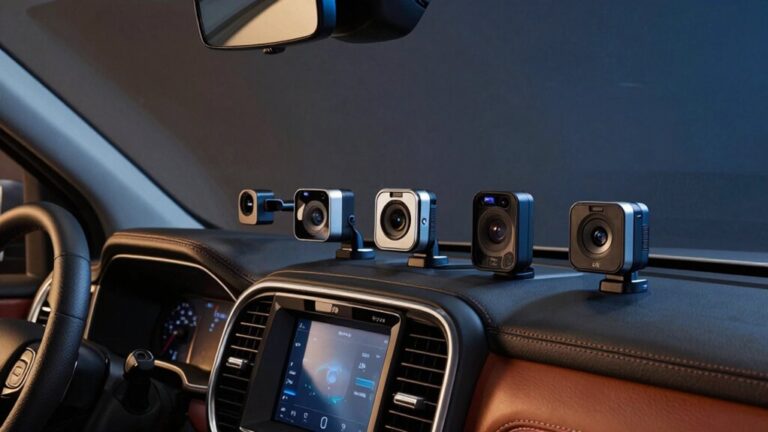
Your dash cam’s Wi-Fi functions as a standalone 802.11 access point, broadcasting its own SSID on the 2.4 GHz or 5 GHz ISM band without requiring internet connectivity. You’ll connect your smartphone directly to this hotspot using the manufacturer’s credentials, establishing a peer-to-peer link that enables real-time 1080p/4K video streaming, file transfers at 20-30 MB/s (Wi-Fi 6), and remote parameter adjustments within a 10-15 meter range. The system employs AES encryption protocols for secure transmission. Below, you’ll find the complete technical specifications and setup procedures.
Understanding the Dash Cam Wi-Fi Hotspot System
When you activate your dash cam’s Wi-Fi feature, the device doesn’t connect to your home network or mobile carrier—it creates its own dedicated Wi-Fi hotspot using standard 802.11 protocols. Your dash cam functions as an independent access point, broadcasting its SSID for direct peer-to-peer connection with your smartphone. Camera compatibility requires selecting the dash cam’s network from your phone’s Wi-Fi settings and entering the provided password. This localized system operates within a few meters’ range, optimized for close-proximity data exchange rather than extended coverage. Connection stability depends on maintaining proximity and minimizing interference from other wireless devices. The hotspot enables live feed viewing, remote settings adjustment, and direct file transfer without SD card removal—all while continuous recording proceeds uninterrupted to onboard storage. This Wi-Fi connection typically operates on either 2.4GHz or 5GHz bands, with 2.4GHz offering longer range but slower speed, while 5GHz provides faster speed at shorter range. Some dash cams also support Bluetooth connections for initial pairing or settings adjustments. Advanced models like the Viofo A329S feature Wi-Fi 6 support for significantly faster file transfers between your dash cam and smartphone. Many modern wireless dash cams now integrate cloud backup capabilities that automatically store critical footage offsite for added security and accessibility. For models equipped with a SIM card, cellular connectivity capabilities extend beyond the standard short-range Wi-Fi connection, though this typically involves additional subscription costs. Some advanced dash cams also include speed camera alert functionality through GPS integration and preloaded databases that warn drivers of upcoming enforcement points.
Setting Up Your Smartphone Connection to Your Dash Cam
Before you can access your dash cam’s live feed and stored footage, you must establish a direct wireless link between your smartphone and the camera’s 802.11 access point. First, download the manufacturer-specified application from your device’s official store and verify app permissions for camera, storage, and location access. Power on your dash cam and activate its Wi-Fi hotspot through the settings menu or dedicated physical button. Navigate to your smartphone’s Wi-Fi settings, locate the dash cam’s SSID, and authenticate using the default credentials from your manual. Launch the dedicated application to complete device pairing and verify firmware synchronization. Ensure both devices are compatible to achieve optimal performance and prevent connectivity issues. The dash cam creates its own local hotspot network, eliminating the need for home or external internet to connect your mobile device. When troubleshooting connections, disable conflicting protocols like Android Auto or Bluetooth, then restart both devices if the initial handshake fails to establish properly.
Key Features Accessible Through Wi-Fi Connectivity
Once you’ve paired your smartphone with your dash cam’s wireless access point, the 802.11 protocol releases several practical capabilities that extend beyond basic video recording. You’ll gain direct access to remote file management, enabling wireless retrieval of footage without SD card extraction. The wireless sharing function transmits video files to social platforms and cloud services through your smartphone’s internet connection. Live monitoring streams real-time camera feeds to your device, facilitating precise lens positioning during installation and remote surveillance of parking zones. You can modify operational parameters—resolution, frame rate, G-sensor threshold, and loop intervals—through the companion application interface. Firmware patches deploy over the Wi-Fi link, maintaining software currency. GPS telemetry and collision event markers synchronize with your phone, supporting insurance documentation and fleet tracking requirements while eliminating manual data retrieval procedures. Many WiFi-enabled dash cams also include voice control capabilities, allowing hands-free operation of recording functions and settings adjustments while driving. Advanced models with Wi-Fi 6 connectivity enable significantly faster file transfers, reducing the time required to download high-resolution footage to your mobile device. The wireless connection range typically extends approximately 10 feet from the dashcam, ensuring stable functionality within this proximity. The dedicated manufacturer app provides an interface for managing, editing, and sharing videos, making it convenient to handle dash cam recordings without needing to physically interact with the dash cam itself. For optimal performance and proper setup of these wireless features, professional installation services can ensure your dash cam’s mounting position supports reliable Wi-Fi connectivity and camera angle adjustment. When paired with a hardwired power connection to an ACC fuse, the dash cam can leverage parking mode functionality that continues recording even when the vehicle ignition is off, with all footage remaining accessible through the Wi-Fi interface.
Technical Specifications: Frequency Bands and Data Transfer
Dash cam wireless modules primarily operate on the 2.4 GHz ISM band (2400-2483.5 MHz), leveraging its superior propagation characteristics through automotive sheet metal and tinted glass barriers. Advanced models incorporate dual-band transceivers supporting 5 GHz (5150-5825 MHz) for reduced frequency interference in congested RF environments. IEEE 802.11n/ac protocols deliver throughput sufficient for H.264/H.265 compressed video streams, typically 20-40 Mbps for 1080p content and 60-100 Mbps for 4K transfers. Signal optimization employs WPA2-PSK encryption with Access Point mode configuration, enabling direct peer-to-peer connectivity without infrastructure requirements. You’ll find effective range limited to 10-15 meters due to mobile attenuation factors and multipath propagation within vehicle cabin geometries. GPS metadata transmission occurs parallel to video data streams, synchronized via dedicated communication channels. The wireless connectivity eliminates the need for physical memory card removal, allowing users to access footage directly through dedicated mobile applications. Models with built-in WiFi enable seamless video sharing to smartphones, facilitating immediate review and transfer of recorded incidents without requiring cable connections. Some advanced dash cams integrate with smart home assistants like Google Assistant or Alexa, enabling users to access cloud-stored footage and control device functions through voice commands. While wireless systems offer convenience, wired backup cameras provide superior reliability and consistent performance with minimal latency due to their direct physical connections. For continuous operation including advanced features like parking mode surveillance, many users opt for hardwire kit installations that connect directly to the vehicle’s fuse box rather than relying on cigarette lighter adapters. During extended wireless data transfers, heat-resistant dash cams with adequate thermal management systems prevent overheating that could interrupt connectivity or cause device shutdown.
Wi-Fi vs. Traditional Dash Cams: Performance Comparison
Understanding RF propagation and protocol specifications provides the foundation for evaluating how wireless connectivity translates into real-world performance advantages and trade-offs. Wi-Fi-enabled dash cams deliver wireless advantages through 802.11ax (Wi-Fi 6) implementations supporting 20-30 MB/s transfer rates on 5 GHz channels, though environmental factors can degrade throughput to 1 MB/s on specific devices. Installation ease surpasses traditional models by eliminating hardwire runs to fuse panels, reducing integration complexity while maintaining equivalent 4K resolution and Sony STARVIS sensor performance. Wireless units incorporate HDR processing, AI tracking algorithms, and cloud connectivity with LTE uplinks—features absent in conventional wired systems. However, video compression artifacts during bandwidth-constrained wireless transfers can compromise image fidelity. Multi-camera configurations with PiP rendering extend situational awareness beyond single-lens traditional alternatives, while OTA firmware delivery maintains specification compliance without physical intervention. Modern wireless dash cams enable real-time app sharing that allows immediate video transfer to smartphones for quick incident documentation and review. Advanced models feature infrared cabin cameras that enable interior monitoring capabilities unavailable in standard wired dash cam systems. Wireless models mount behind the rearview mirror for optimal positioning and unobstructed road view while maintaining clean aesthetics. Premium wireless dash cams now offer extended parking mode recording that provides comprehensive vehicle surveillance during periods of inactivity. The wireless connectivity also facilitates GPS tracking capabilities that enable route logging and precise location data during recorded incidents. Regular SD card formatting through the device’s settings menu helps maintain storage health and prevents data corruption caused by continuous video recording cycles.
Practical Benefits for Everyday Drivers and Fleet Operators
Beyond architectural specifications and throughput benchmarks, WiFi-enabled dash cams deliver quantifiable advantages across incident documentation, fleet management, and operational efficiency. You’ll achieve immediate footage transfer to smartphones or cloud infrastructure, reducing investigation cycles and liability exposure. For fleet operators, remote monitoring via cloud platforms enables targeted driver safety coaching—studies document 20% reductions in fatal crashes and 35% decreases in injury events. Dual-facing cameras capture simultaneous road and driver behavior data, supporting evidence-based performance analysis. You’ll access real-time alerts that enable immediate behavioral correction, while stored footage serves as impartial evidence against fraudulent claims. The dashcam functions as an impartial eyewitness, providing clear video evidence that can conclusively show fault and refute staged accidents or false claims of damage. The technology streamlines fuel efficiency through smoother driving patterns and eliminates manual SD card handling, ensuring continuous operational readiness for both individual and commercial deployments. WiFi connectivity enables drivers to protect themselves from false accusations by wirelessly accessing and sharing footage that proves their innocence in disputed incidents. While most insurers don’t provide direct discounts for dash cam installation, the footage can help prevent premium increases by proving you weren’t at fault in accidents. Advanced models with GPS tracking capabilities provide detailed trip documentation that records location data alongside video footage, offering comprehensive journey records for business mileage verification and route analysis. Models equipped with supercapacitors instead of lithium-ion batteries offer enhanced heat resistance and longer operational lifespans, making them more reliable under the extreme temperature conditions commonly found inside parked vehicles. To minimize battery drain concerns, many drivers opt for hardwiring cables with voltage monitoring that automatically cut power when battery levels drop too low, preventing the dash cam from depleting the vehicle’s battery during extended parking periods.
Power Consumption and Battery Impact Considerations
While WiFi-enabled dash cams enhance connectivity and data access, they impose measurable electrical loads on both internal capacitors and vehicle power systems. Typical units draw approximately 4 watts during operation, with WiFi activation increasing consumption beyond baseline recording levels. Energy efficiency varies notably between 2.4GHz and 5GHz protocols—the latter delivers faster transfers but demands higher current draw. Hardwired installations with low-voltage cutoff circuitry optimize battery longevity by preventing deep discharge events. In parking mode, continuous WiFi streaming accelerates drain rates compared to passive recording. Quality components and intelligent power management algorithms reduce parasitic loads. You’ll maximize battery longevity through selective WiFi use, voltage protection thresholds, and motion-activated recording modes rather than continuous connectivity. Discharging below 50% compromises lead-acid battery lifespan and should be avoided through proper voltage monitoring. Resolution settings and feature combinations directly correlate with sustained power demands. Some integrated units combine dash cam functionality with GPS navigation systems, offering dual-purpose solutions that consolidate power draw from multiple devices. 4K dash cams generally require around 10 watts of power, equating to roughly 2 amps at 5V, which represents a higher continuous load than standard resolution models. Models like the Toguard CE80B with 4K front and rear recording deliver superior video quality but require robust power management to sustain continuous operation. External battery packs provide an alternative solution that eliminates the risk of vehicle battery depletion during extended parking periods.
Cloud Storage Integration and Remote Access Capabilities
Modern dash cams transmit recorded footage to remote servers through two primary pathways: integrated 4G LTE modems that establish direct cellular connections, or tethered configurations leveraging smartphone WiFi and mobile data connections. G-sensor triggers initiate automatic uploads during impact events, ensuring critical footage reaches cloud infrastructure before device damage occurs. Cloud security protocols employ AES encryption across cellular networks, protecting data integrity during transmission and storage. You’ll access archived footage through companion applications supporting live streaming, GPS coordinate tracking, and incident notifications without physical SD card retrieval. Remote management interfaces enable firmware updates, camera configuration adjustments, and AI-tagged event sorting. LTE-independent systems maintain continuous connectivity, supporting fleet monitoring applications. Redundant server architectures prevent data loss through distributed backup protocols, securing evidence against local storage failures or theft scenarios. Cloud-connected models enable real-time video streaming that provides immediate access to live footage while vehicles are parked or in transit.