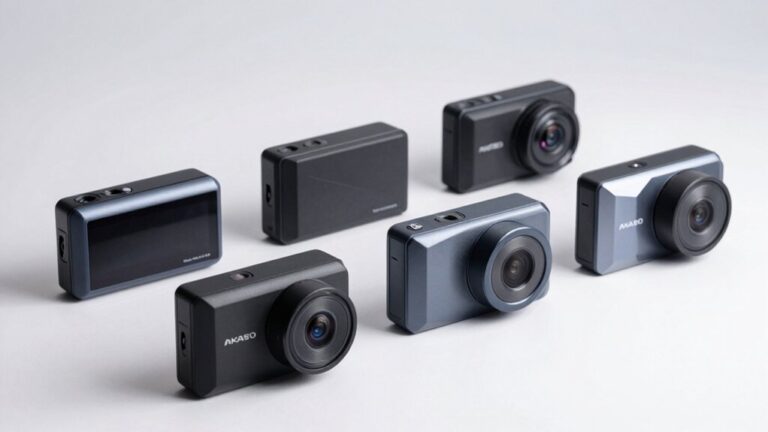
A dash cam time stamp is a digital chronological marker that embeds precise date and time information directly onto your recorded video footage. This essential feature utilizes a Real-Time Clock (RTC) powered by an internal battery or capacitor to generate accurate temporal data for each captured frame. Time stamps serve critical evidentiary purposes in legal proceedings and insurance claims by establishing event chronology and validating accident circumstances. They’re particularly valuable when GPS-synchronized for enhanced accuracy and can include additional metadata like speed and location coordinates for thorough documentation.
Understanding Dash Cam Time Stamps and Their Primary Function
At their core, dash cam time stamps function as digital chronological markers that embed precise date and time information directly onto video footage or within file metadata. You’ll find these stamps serve critical evidentiary purposes, providing verifiable records for legal proceedings and insurance claims. The timestamp benefits extend beyond documentation—they enable systematic video cataloging, facilitate GPS log synchronization, and support sensor data correlation across your vehicle’s systems.
However, timestamp credibility depends entirely on accuracy. You must verify proper time zone configuration and regular clock calibration to maintain evidential value. GPS-synchronized models automatically update timing, eliminating manual adjustments. Some advanced systems incorporate cryptographic methods or trusted timestamping protocols to prevent manipulation. Without these safeguards, altered timestamps can compromise your footage’s legitimacy in court or dispute resolution scenarios. Dash cam footage with accurate time stamps is widely accepted in insurance claims and accident investigations, making timestamp integrity essential for legal compliance. Dual-facing dash cams that record both road and cabin views rely on synchronized timestamps to correlate front and rear footage for comprehensive incident documentation. Users can typically access time stamp settings through the dash cam’s video settings menu to enable or disable this feature according to their preferences. Advanced dash cams with Parking Mode enabled can timestamp recordings triggered by motion or impact detection even when your vehicle is off, providing chronological evidence of incidents like vandalism or hit-and-runs. Time-stamped footage serves as an unbiased witness that can help clarify fault in collisions and protect against fraudulent claims. This objective video evidence reduces reliance on conflicting eyewitness accounts and accelerates the claims resolution process for both drivers and insurers.
How the Internal Clock Generates Time Stamps on Video Footage
When your dash cam activates, its internal Real-Time Clock (RTC) immediately begins generating timestamp data for every recorded frame. This RTC operates independently, powered by a small battery or capacitor that maintains time accuracy even when your camera is off. The clock synchronization process embeds date and time information directly into your video files—either as metadata in file headers or as visual overlays burned into each frame. For ideal timestamp reliability, your RTC must receive continuous power or GPS signals. Without these, capacitor-based systems typically maintain accuracy for 7-10 days before resetting. GPS-equipped models enhance precision by syncing with Coordinated Universal Time (UTC) from satellites, though you’ll still need to configure time zone settings manually for accurate local timestamps. If you notice incorrect timestamps, check the time zone setting to ensure your camera displays the proper local time rather than attempting manual time adjustments. You can verify timestamp accuracy by reviewing your recorded footage through the manufacturer app or by transferring files to your computer via USB. Since dash cams consume minimal power during operation, around 1-5 watts when the car is running, the RTC’s small battery has sufficient energy to maintain accurate timekeeping without significantly impacting your vehicle’s electrical system. Some users connect their dash cams through a hardwiring kit to the vehicle’s fuse box to ensure the internal clock receives uninterrupted power and maintains timestamp accuracy during extended parking periods. The internal lithium polymer battery that powers the RTC typically has limited capacity and degrades over time, which can affect the clock’s ability to retain settings when the dash cam is disconnected from power. To prevent timestamp data loss or corruption, regularly format your SD card using the dash cam’s built-in formatting function rather than formatting on a computer, which can create file system incompatibilities.
Adjusting Date and Time Settings on Your Dash Cam
To configure your dash cam’s timestamp accurately, you’ll need to access the device’s setup menu through a sequence of button presses—typically involving the menu or mode button to enter settings, then navigation buttons to locate options labeled “Time & Date,” “Clock,” or “Setup.” Before initiating any adjustments, guarantee your dash cam has stopped recording, as most models disable time modifications during active capture to prevent file corruption or metadata errors.
Time setting methods vary by model but generally require sequential input of year, month, day, hour, and minute values. Time adjustment tips include selecting the correct time zone and enabling Daylight Saving Time settings to maintain accurate timestamps. GPS-equipped models automatically synchronize once the time zone is configured, while non-GPS units demand manual configuration. Accurate timestamps are especially important when capturing evidence in challenging lighting conditions like tunnels or night driving, where HDR technology enhances image clarity by preventing overexposure and maintaining visibility. Always confirm changes before exiting to prevent resets. If you encounter difficulties with the configuration process, contact support at support@nextbase.com for assistance with your specific dash cam model.
Power Supply and Battery Issues That Affect Time Stamp Accuracy
Even perfectly configured date and time settings become meaningless if your dash cam’s power supply fails to maintain those parameters between ignition cycles. Voltage fluctuations from unstable adapters disrupt real-time clock accuracy, while inconsistent amperage below operating thresholds (0.15-0.3A) compromises recording continuity. Most dash cams incorporate backup batteries or supercapacitors to preserve timestamps during power interruptions—supercaps typically maintain accuracy for approximately 10 days when fully charged.
However, battery aging considerably degrades this reliability. Depleted backup components cause default timestamp resets (often reverting to 2012 or zero time), rendering footage legally questionable. Power interruptions near cutoff voltage require 90-100 seconds to trigger shutdown, creating partial file writes with corrupted timestamps. High endurance SD cards are specifically engineered to withstand the continuous read/write cycles that prevent data corruption during these power-related timestamp failures. You’ll need high-quality, voltage-stable adapters and regular backup component maintenance to guarantee forensically defensible timestamp accuracy throughout your dash cam’s operational lifecycle. Many dash cams draw power through the car’s lighter socket, which typically provides sufficient voltage stability for maintaining accurate timestamps during normal operation. Installing a hardwire kit that connects directly to your vehicle’s fuse box provides a constant power source that eliminates many of these timestamp reliability issues. Power restoration requires ignition switch activation, which triggers a 3-minute settling period before the camera fully re-engages and stabilizes timestamp functions. Professional installers ensure optimal camera placement and proper wiring that prevents power-related timestamp failures common with DIY installations. The loop recording system saves video in short segments, and power failures during this segmentation process can result in timestamp discontinuities that make reconstructing event timelines difficult.
Time Stamps Across Different Recording Modes
Your dash cam’s recording mode fundamentally determines how timestamps integrate with captured footage, with each operational state applying distinct timestamp behaviors that directly affect evidentiary value and storage management. Manual recording generates precise time stamps reflecting user-initiated start/end points with configurable recording duration. Incident mode embeds timestamps marking pre-event, impact, and post-event sequences—typically saved in protected folders preventing overwrite. Continuous and loop recording maintain seamless timestamp progression, though loop cycles may create slight overlaps while preserving chronological integrity. Time-lapse parking modes compress extended recording duration into reduced file sizes while maintaining time stamp accuracy correlating to real-time intervals. Event-triggered parking surveillance activates motion-based recording with protected timestamps essential for documenting vandalism or hit-and-run incidents. G-sensor and gyroscope detection systems guarantee incident timestamps capture collision dynamics with frame-level precision critical for insurance claims and legal proceedings. Hardwired cameras with active Parking Mode maintain timestamp functionality even when the vehicle is powered off, providing comprehensive surveillance coverage during extended parking periods. Advanced models featuring radar motion detection offer superior battery conservation while ensuring timestamp accuracy during parking mode activation, making them particularly effective for long-term parked vehicle security. Premium models featuring GPS capabilities enhance timestamp data by embedding geographical coordinates and speed information alongside temporal markers, creating comprehensive incident documentation. Advanced dash cams equipped with Sony STARVIS sensors provide superior low-light recording quality, ensuring timestamp-marked footage remains clear and usable even in challenging nighttime conditions when incident documentation is most critical. Modern wireless dash cams with cloud backup functionality automatically preserve timestamped footage to remote servers, eliminating reliance on physical storage cards and ensuring critical evidence remains accessible even if the device is damaged or stolen. Fleet-oriented systems with real-time streaming capabilities transmit timestamped video directly to monitoring platforms, enabling immediate incident review and remote verification of driver behavior or collision events.
Troubleshooting Common Time Stamp Problems
When dash cam time stamps display incorrect dates, freeze at default values, or reset after power cycles, systematic diagnosis of hardware, software, and connectivity factors becomes essential to restore chronological accuracy.
Begin troubleshooting by parking in open areas with clear sky visibility to enable GPS-based automatic synchronization. If time resets persist, inspect and replace the depleted internal backup battery or capacitor responsible for maintaining settings during power-off states. Apply firmware updates to resolve software bugs causing erratic date jumps or synchronization failures. Verify stable power delivery by connecting directly to the vehicle’s 12V socket, avoiding splitters and third-party chargers that introduce voltage instability. Configure correct time zone adjustments within dash cam menus to eliminate offset inconsistencies. Format memory cards using the device’s built-in function to prevent corrupted metadata affecting timestamp accuracy. Access the format option in your dash cam’s settings menu by navigating through the device interface, selecting the format function, and confirming the prompt to prepare the card for optimal recording performance. Formatting the SD card every 2 to 4 weeks also helps maintain optimal performance and prevent file corruption that can compromise timestamp reliability. Using in-camera formatting is recommended over computer-based methods to avoid compatibility issues that may affect timestamp functionality. Perform regular checks of the timestamp display to maintain accurate records and prevent evidence validity issues. Many modern dash cams with built-in microphones also synchronize audio timestamps with video footage to ensure complete accuracy of recorded events. Additionally, ensure proper placement away from direct sunlight to prevent overheating issues that can cause temporary shutdowns and interrupt timestamp continuity.
The Role of Time Stamps in Legal Evidence and Insurance Claims
Beyond maintaining accurate recordings during operation, dash cam time stamps serve a critical function in legal proceedings and insurance claim adjudications. You’ll find that courts evaluate time stamps for authenticity, relevance, and tampering evidence when determining admissibility. The legal implications extend to establishing event chronology and corroborating witness testimony, though minor technical discrepancies typically affect evidentiary weight rather than admissibility itself.
For insurance verification, time-stamped footage expedites claims processing by providing objective documentation of accident circumstances. Insurers utilize these recordings to validate claimant statements and prevent fraudulent submissions. While dash cam footage helps prevent wrongful liability claims and protects your driving record from at-fault determinations, most major insurers do not offer direct discounts for installing these devices. You should preserve original files with metadata intact, as authentication requires demonstrating footage integrity. Incorrect time stamps may necessitate supplementary affidavits or explanations. Time-stamped recordings are particularly valuable in refuting crash-for-cash schemes where fraudsters deliberately stage collisions to extract insurance payouts from innocent drivers. Environmental factors and privacy regulations can limit evidentiary value, requiring you to understand jurisdictional requirements for ideal legal protection. Courts generally accept dash cam evidence recorded in public places that pertains directly to traffic accidents and personal injury cases, provided the footage maintains sufficient clarity and proper chain of custody. While dash cam footage can strengthen your position, it’s important to recognize that the same evidence showing illegal actions or contributing factors could potentially be used against you if the recording captures violations such as speeding or aggressive driving behavior. Skilled legal representation can evaluate your dash cam footage to determine its relevance and build a compelling case when evidentiary issues arise.
GPS Integration and Advanced Time Stamp Features
GPS-equipped dash cams generate time-stamped data that ties directly to vehicle location and travel events, utilizing satellite signals to record exact times when your vehicle reaches specific coordinates. This integration automatically updates time information, eliminating manual clock adjustments. GPS benefits extend beyond basic timing—your footage includes latitude, longitude, speed, and directional heading embedded within timestamp formats.
Advanced models combine GPS time stamps with gyroscopic sensors for precise vehicle behavior tracking, including lane changes and braking patterns. You’ll access detailed route playback with trip maps marked by key events like stops and speeding alerts. Some systems feature automated event tagging that highlights critical moments within timestamps for efficient analysis. GPS synchronization to atomic clock signals guarantees highly reliable, tamper-resistant timing compared to manual settings. The route mapping capability creates digital maps showing the exact path taken during your trip, allowing you to review complete journey details alongside corresponding timestamps.
Customizing Time Stamp Display Options
While GPS integration handles automatic time synchronization, you’ll still need to configure how timestamp data appears on your recorded footage. Modern dash cams provide extensive timestamp customization options through their settings menus, accessible via companion mobile applications or device interfaces. You can toggle individual data elements independently—selecting which information appears from options including date, time, GPS coordinates, speed overlays, and logo watermarks. Floating window settings enable you to adjust the timestamp display size across three distinct configurations, accommodating different preferences for visual prominence and screen real estate allocation. You’ll also customize positioning through gesture controls, ensuring the timestamp doesn’t obstruct critical portions of your footage. Most systems allow you to modify date and time formatting patterns, providing flexibility in how temporal information displays during real-time recording sessions. Users can switch preferences at any time by accessing the device settings within the companion app to enable or disable timestamp functionality based on their current needs.
Maintaining Time Stamp Reliability for Long-Term Use
Although dash cams automatically synchronize time data through GPS integration and offer extensive display customization, long-term timestamp reliability depends on proactive maintenance of several critical hardware and software components. Replace button batteries every 4-5 years to sustain timestamp synchronization methods, as these power sources maintain clock accuracy during main power interruptions for up to one month. Format SD cards every 2-4 weeks and replace them every 6-12 months to prevent corrupted timestamps from card degradation. Install firmware updates monthly to resolve timestamp bugs and enhance system performance. Inspect power cables periodically, replacing damaged connections that cause timestamp resets. Quality button batteries can endure up to 1000 charge cycles, providing consistent performance throughout their operational lifespan. Following these battery longevity tips and maintenance protocols guarantees accurate, reliable timestamps throughout your dash cam’s operational lifespan, preventing documentation gaps during critical recording events.