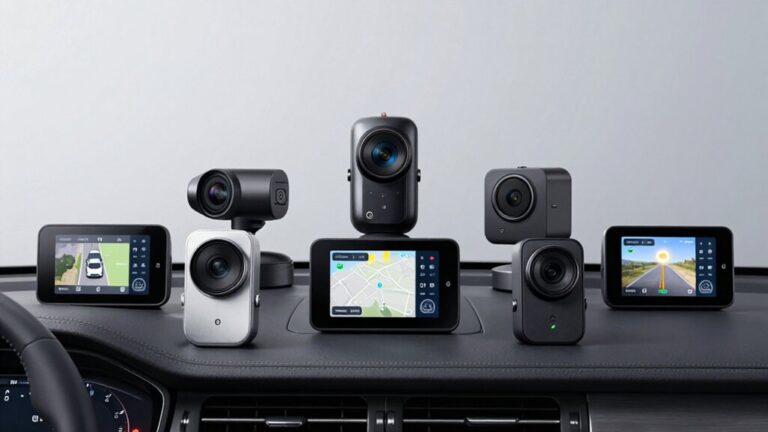
You’ve invested in a quality Garmin dash cam to protect yourself on the road, but you’re only scratching the surface of what it can do. The right companion app transforms your device from a simple recorder into a complete safety system with real-time alerts, cloud backup, and instant incident sharing. Most drivers don’t realize they’re missing essential features that could make the difference when they need footage most.
Quick Overview
- Garmin Drive app enables wireless video access, voice control, and Online Vault cloud storage for Mini 2, Mini 3, and X110 models.
- Garmin Dash Cam X110 offers remote live view functionality through the app when connected to constant power and stable Wi-Fi.
- All three models support automatic incident detection with timestamped recordings accessible via the Garmin Drive mobile app.
- Online Vault subscription provides secured cloud storage for critical footage, preventing loss from device damage or theft.
- App compatibility requires verification with iOS and Android devices plus active Wi-Fi connectivity for remote monitoring features.
| Garmin Dash Cam Mini 3 1080p HD |

| Best Compact Design | Video Resolution: 1080p HD | Field of View: 140 degrees | Voice Control Languages: English, German, French, Spanish, Italian, Swedish | VIEW LATEST PRICE | Read Our Analysis |
| Garmin Dash Cam X110 1080p HD GPS |

| Best Advanced Features | Video Resolution: 1440p HD | Field of View: 140 degrees | Voice Control Languages: English, German, French, Spanish, Italian, Swedish | VIEW LATEST PRICE | Read Our Analysis |
| Garmin Dash Cam Mini 2 1080p (Renewed) |
| Budget-Friendly Pick | Video Resolution: 1080p | Field of View: 140 degrees | Voice Control Languages: English, German, French, Spanish, Italian, Swedish | VIEW LATEST PRICE | Read Our Analysis |
More Details on Our Top Picks
Garmin Dash Cam Mini 3 1080p HD
The Garmin Dash Cam Mini 3 delivers premium features in a key-sized package, making it the best choice for drivers who want extensive protection without a bulky camera cluttering their windshield. You’ll capture crisp 1080p HD footage with a 140-degree field of view, while the built-in Clarity polarizer lens reduces windshield glare. The camera automatically records incidents with timestamps and responds to voice commands in six languages. You can store essential clips in the Online Vault and access them through the Garmin Drive app. With a paid Vault subscription, you’ll activate parking guard notifications and remote live view capabilities, though you’ll need constant power and Wi-Fi connectivity.
- Video Resolution:1080p HD
- Field of View:140 degrees
- Voice Control Languages:English, German, French, Spanish, Italian, Swedish
- Garmin Clarity Lens:Built-in polarizer lens
- Online Vault Storage:Available with subscription
- Automatic Incident Recording:Yes, with date and time
- Additional Feature:Ultracompact key-sized design
- Additional Feature:Parking guard notifications
- Additional Feature:Remote live view capability
Garmin Dash Cam X110 1080p HD GPS
Drivers seeking professional-grade video evidence will find the Garmin Dash Cam X110 delivers 1440p HD recording quality through its wide 140-degree field of view. You’ll appreciate the built-in Garmin Clarity polarizer lens that reduces windshield glare for enhanced video clarity. The 2.4″ LCD display lets you review footage immediately, while voice control in six languages enables hands-free operation. You’ll receive forward collision and lane departure alerts to improve driving awareness. The compact design stays unobtrusive on your windshield, and automatic incident detection preserves critical footage. With the Garmin Drive app, you’ll access remote live view and subscription-based Online Vault storage.
- Video Resolution:1440p HD
- Field of View:140 degrees
- Voice Control Languages:English, German, French, Spanish, Italian, Swedish
- Garmin Clarity Lens:Built-in polarizer lens
- Online Vault Storage:Available with subscription
- Automatic Incident Recording:Yes, automatically saves detected incidents
- Additional Feature:2.4″ LCD display
- Additional Feature:Driver safety alerts
- Additional Feature:1440p HD recording
Garmin Dash Cam Mini 2 1080p (Renewed)
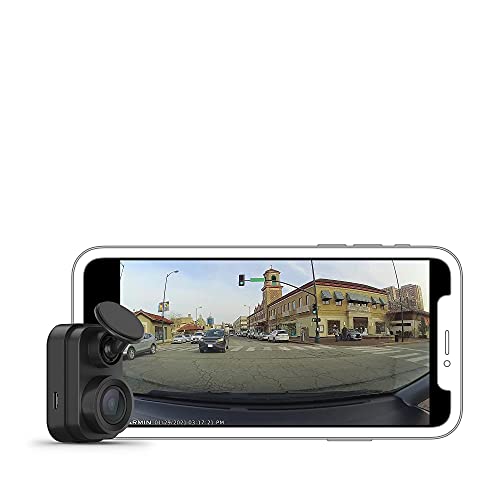
Compact convenience defines the Garmin Dash Cam Mini 2, making it ideal for drivers who want discreet protection without cluttering their windshield. At just 1 ounce and key-sized, you’ll barely notice it’s there. You’ll capture incidents in crisp 1080p video with a 140-degree field of view, while voice control lets you operate it hands-free in six languages. The incident detection automatically saves footage when needed, and you’ll appreciate the wireless connectivity for easy file access. Before installing, verify your local laws permit dash cam usage. This renewed model includes everything you need: adhesive mount, dual USB adapter, and cables.
- Video Resolution:1080p
- Field of View:140 degrees
- Voice Control Languages:English, German, French, Spanish, Italian, Swedish
- Garmin Clarity Lens:Not specified
- Online Vault Storage:Not specified
- Automatic Incident Recording:Yes, for discreet eyewitness evidence
- Additional Feature:Reverse Assist feature
- Additional Feature:1 ounce weight
- Additional Feature:Renewed/refurbished product
Factors to Consider When Choosing a Garmin Dash Cam App
When selecting a Garmin Dash Cam app, you’ll need to evaluate several technical and financial aspects that affect your overall experience. Start by checking app compatibility requirements with your smartphone’s operating system, then examine video storage options to guarantee you’ve got adequate space for your footage. You should also assess remote access features, subscription costs, and Wi-Fi connectivity needs to determine if the app meets your specific requirements and budget.
App Compatibility Requirements
Before investing in a Garmin dash cam system, you’ll need to verify that your smartphone meets the essential compatibility requirements for seamless operation. The Garmin Dash Cam app works with both iOS and Android devices, available through their respective app stores. You’ll require an active Wi-Fi connection to access remote features and the online Vault for video storage.
Regular software updates are necessary to maintain compatibility with new dash cam features and security improvements. The app supports multiple languages, guaranteeing accessibility regardless of your primary language. For complete functionality, including live view and parking guard notifications, you may need a subscription to Garmin’s online Vault service. Checking these requirements beforehand prevents compatibility issues and guarantees you maximize your dash cam’s capabilities.
Video Storage Options
Your dash cam’s video storage solution directly impacts how you’ll access and preserve critical footage. Garmin’s Online Vault provides secure cloud storage for important video clips, accessible through your smartphone app. However, you’ll need a paid subscription and active Wi-Fi connection to enable this feature, along with dash cam live view capabilities.
Without a subscription, you’re limited to viewing and downloading files only when you’re near your device. This restriction can prove problematic when you need immediate access to footage for insurance claims or legal matters.
For remote monitoring, certain Garmin models offer smartphone access, but they require constant power and internet connectivity. Your dash cam automatically records incidents regardless of your storage choice, ensuring you’ll capture essential footage when it matters most.
Remote Access Features
How effectively can you monitor your vehicle when you’re not behind the wheel? Remote access features in Garmin Dash Cam apps provide real-time monitoring capabilities through your smartphone, but they’ll require constant power and active Wi-Fi connectivity. You can leverage live view functionality through the Garmin Drive app, which also delivers incident notifications and streamlined video management tools.
Many models offer online vault services for secure footage storage and sharing, though you’ll typically need a subscription plan to access these features. Voice control capabilities let you save or download footage hands-free in multiple languages. However, you should understand that most remote functionality is subscription-dependent, meaning you’ll need to pay for full access to these advanced monitoring features.
Subscription Cost Analysis
Evaluating subscription costs for Garmin Dash Cam apps demands a careful look at what you’ll actually use versus what you’re paying for. Online Vault’s premium features include cloud storage and remote live view, but they require ongoing payments that vary by plan. If you don’t subscribe, you’ll only access footage when you’re physically near your dash cam, which limits convenience considerably.
Before committing, consider how often you’ll need remote access. Do you require cloud backup for incidents, or will local storage suffice? Compare subscription tiers against your actual needs—paying for features you won’t use wastes money. Remember that premium functionality also demands consistent Wi-Fi and power, adding potential complexity. Regular cost-benefit reviews ascertain you’re getting ideal value from your investment.
Wi-Fi Connectivity Needs
While many dash cam features function offline, Wi-Fi connectivity reveals the full potential of Garmin’s smartphone apps and determines which features you’ll actually use. You’ll need a stable connection for live video streaming, remote access, and cloud storage services that enable secure video sharing. If you’re considering subscription-based online vault services, an active Wi-Fi connection is essential for real-time access to stored footage.
Remote features like live view monitoring depend on continuous power and strong Wi-Fi signals for reliable performance. Before purchasing, evaluate your typical parking locations and available Wi-Fi networks. If you frequently park in areas with limited connectivity, features requiring constant online access won’t deliver their promised value.
Live View Functionality
Real-time monitoring transforms your dash cam into an active security system, but this feature demands specific conditions to function properly. You’ll need a constant power source and Wi-Fi connection to enable live streaming from your smartphone. This capability lets you remotely observe your vehicle’s surroundings, which proves invaluable for preventing theft or damage while parked.
However, you should know that some dash cam models restrict live view access to users who maintain an active subscription to their online storage service. High-end models typically include this functionality, though they may require professional installation to guarantee reliable performance. Once properly configured, you’ll gain enhanced surveillance capabilities, allowing immediate observation of incidents as they occur rather than reviewing footage after the fact.
Cloud Storage Capacity
Beyond live monitoring capabilities, your dash cam’s cloud storage capacity determines how much footage you can preserve for future access. Garmin’s Online Vault provides secure cloud storage through the Garmin Drive smartphone app, automatically saving video incidents without manual intervention. Your subscription plan directly influences storage capacity, affecting how much footage you’ll retain over time.
With a paid subscription, you can store and access critical video clips remotely from anywhere. Nonpaid users face limitations—they’ll only download files when near their dash cam. This feature requires continuous Wi-Fi connectivity and potentially constant power supply for maximum performance. The automatic preservation guarantees you won’t lose important footage during incidents, giving you peace of mind knowing your evidence remains securely backed up in the cloud.
Power Supply Considerations
Since your Garmin dash cam’s advanced features depend on reliable power delivery, you’ll need to evaluate your power supply options before choosing an app-enabled model. Features like parking guard notifications, remote access, online vault access, and live view monitoring require constant power to function properly. Without continuous power, you’ll lose these connectivity features that make the app valuable.
Consider installing a dual USB power adapter to maintain operational efficiency during recording sessions. Your power source must withstand harsh vehicle environments to prevent disruptions in functionality. Proper wiring and installation are essential for maintaining uninterrupted power while your dash cam operates. Before selecting an app-enabled Garmin dash cam, verify that your vehicle’s electrical system can support continuous power delivery for peak performance.