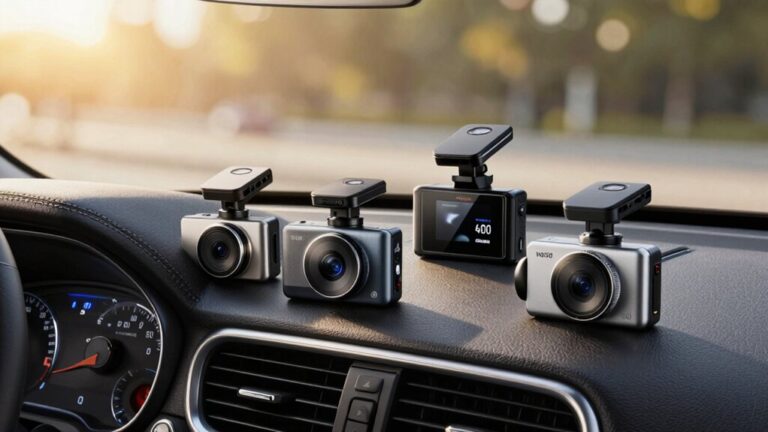
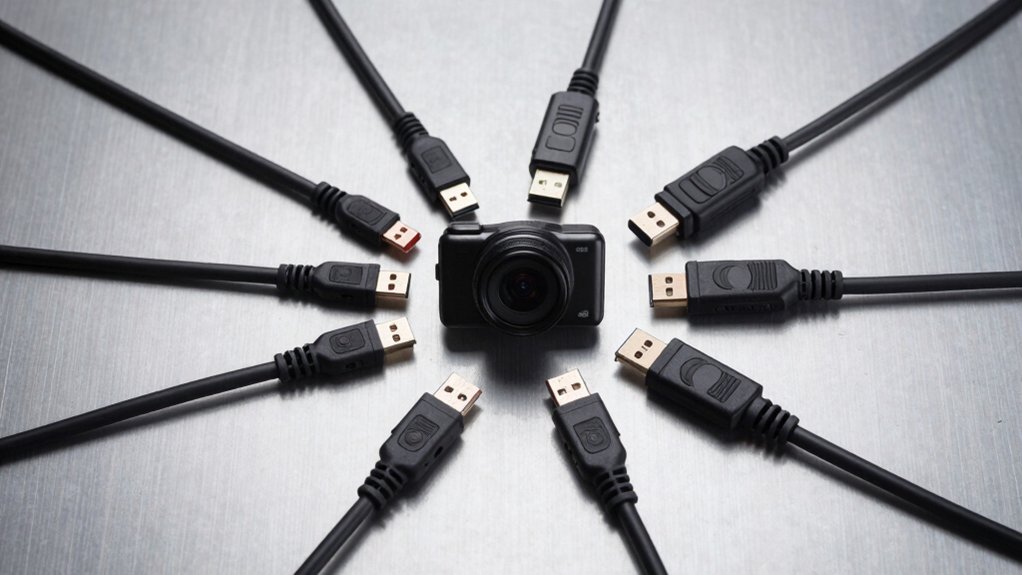
You’ve invested in a quality dash cam to protect yourself on the road, but without the right power cable, you’re left with gaps in coverage or a device that won’t turn on when you need it most. The wrong cable can lead to corrupted footage, overheating, or constant disconnections. Whether you’re dealing with tight spaces behind your dashboard or need to power multiple devices simultaneously, choosing the right cable makes all the difference in maintaining consistent, reliable recordings.
Quick Overview
- Choose cables with 20AWG or lower wire gauge for superior power delivery and reduced overheating risks.
- Select 90-degree connectors to minimize cable stress, enable easier installation, and improve routing in confined spaces.
- Verify connector type compatibility (Mini USB or USB-C) and ensure 5V/2A power output matches your dash cam.
- Opt for hardwired installations with low voltage protection to enable parking mode and prevent battery drain.
- Consider dual-port options with built-in current management for simultaneously powering multiple devices like dash cams and GPS.
| PASOW Mini USB 90 Degree Power Cable |
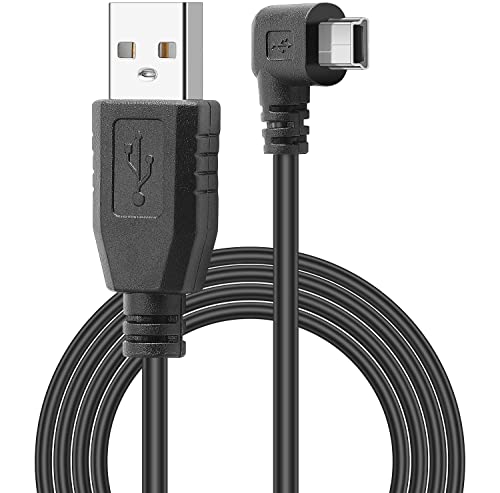
| Power Only Option | Connector Type: USB 2.0 A-Male to Mini-B | Cable Length: 11.5ft | Angle Design: 90-degree right angle | VIEW LATEST PRICE | Read Our Analysis |
| Mini USB Dual Port Power Cable for Dashcam |

| Dual Port Solution | Connector Type: Mini USB Dual Port | Cable Length: 11.5ft (350cm) | Angle Design: 90-degree right corner joint | VIEW LATEST PRICE | Read Our Analysis |
| Dual Port USB-C Car Dashcam Power Cable |

| Best Value | Connector Type: USB-A to Type-C | Cable Length: 11.5ft (3.5m) | Angle Design: 90-degree right-angle connector | VIEW LATEST PRICE | Read Our Analysis |
| EWAY USB-C Dash Cam Power Cord (13FT) |

| Premium Pick | Connector Type: USB-A 2.0 to Type-C | Cable Length: 13ft (4m) | Angle Design: 90-degree angled design | VIEW LATEST PRICE | Read Our Analysis |
| Anina Mini USB Dash Cam Power Cord |

| Safety-Focused Choice | Connector Type: USB-A to Mini USB | Cable Length: 10ft (3m) | Angle Design: 90-degree right-angle design | VIEW LATEST PRICE | Read Our Analysis |
| Dash Cam USB-C Power Cord (10ft) |

| Most Durable | Connector Type: USB-A to Type-C | Cable Length: 10ft | Angle Design: 90-degree angle plug | VIEW LATEST PRICE | Read Our Analysis |
| CERRXIAN OBD2 to USB-C Dash Camera Cable |

| Hardwire Specialist | Connector Type: OBD2 to Type-C | Cable Length: 11.5ft (3.5m) | Angle Design: Standard straight connector | VIEW LATEST PRICE | Read Our Analysis |
More Details on Our Top Picks
PASOW Mini USB 90 Degree Power Cable
The PASOW Mini USB 90 Degree Power Cable is the best choice for dash cam users who need to route cables through tight spaces in their vehicle. Its 90-degree right angle Mini B connector reduces cable stress and makes installation easier in cramped areas. At 11.5 feet long, you’ll have plenty of reach for routing cables along your windshield and dashboard. The 3.5mm connector diameter guarantees easy threading through tight spots. This power-only cable keeps your dash cam charged during operation in cars, SUVs, and trucks. Before purchasing, verify your device uses a Mini USB port, not Micro USB, and check the connector’s facing direction.
- Connector Type:USB 2.0 A-Male to Mini-B
- Cable Length:11.5ft
- Angle Design:90-degree right angle
- Input Voltage:Not specified
- Output Power:Power only (no specs)
- Safety Features:Reduces cable stress and bending
- Additional Feature:Power only, no data
- Additional Feature:3.5mm connector diameter
- Additional Feature:Reduces cable stress
Mini USB Dual Port Power Cable for Dashcam
This dual-port power cable stands out for dashcam users who need to power multiple devices simultaneously without compromising charging efficiency. At 11.5ft long, you’ll have plenty of reach for flexible installation in cars and trucks. The cable accepts 9V-36V input and delivers stable 5V/2.5A output to your Mini USB devices.
You’ll appreciate the Japanese iron aluminum inductors and 100uF capacitors that guarantee durability. The built-in current management module protects against overvoltage, overcurrent, and overheating. Both USB ports maintain consistent output without performance drops, and the 90-degree connector fits tight spaces perfectly.
- Connector Type:Mini USB Dual Port
- Cable Length:11.5ft (350cm)
- Angle Design:90-degree right corner joint
- Input Voltage:9V – 36V
- Output Power:5V / 2.5A
- Safety Features:Over voltage, over current, over temperature protection
- Additional Feature:Japanese aluminum inductors
- Additional Feature:100uF 50V capacitors
- Additional Feature:Simultaneous dual charging
Dual Port USB-C Car Dashcam Power Cable
For anyone running dual dashcam setups or powering multiple devices simultaneously, this 11.5-foot USB-C cable delivers both ports from a single power source. You’ll get 5V/2.5A output from a 12V-24V vehicle supply, making it compatible with cars and trucks alike.
The 90-degree right-angle connector streamlines cable management in tight spaces. Built-in protection against over-voltage, over-current, and over-temperature safeguards your devices during operation.
Quality components including Japanese iron aluminum inductors and 100uF 50V super capacitors guarantee stable performance without overheating. This cable works with dash cams, GPS units, and other Type-C devices—just verify your equipment’s compatibility before purchasing.
- Connector Type:USB-A to Type-C
- Cable Length:11.5ft (3.5m)
- Angle Design:90-degree right-angle connector
- Input Voltage:9V – 36V
- Output Power:5V / 2.5A
- Safety Features:Over voltage, over current, over temperature protection
- Additional Feature:Japanese iron inductors
- Additional Feature:Current management module
- Additional Feature:12V-24V vehicle compatible
EWAY USB-C Dash Cam Power Cord (13FT)
Premium 20AWG pure copper wiring makes the EWAY USB-C Dash Cam Power Cord stand out as the best choice for dual-camera setups requiring reliable power delivery. This 13-foot cable connects your Type-C dash cam to any USB-A 2.0 port outputting 5V/2.5A, preventing shutdowns through enhanced heat dissipation and reduced resistance. The 90-degree angled design protects the port from strain while saving space during installation. You’ll appreciate the stable voltage transmission for front and rear cameras in sedans and SUVs. However, measure your routing distance carefully if you’re installing it in full-size trucks or vans.
- Connector Type:USB-A 2.0 to Type-C
- Cable Length:13ft (4m)
- Angle Design:90-degree angled design
- Input Voltage:5V (from USB port/charger)
- Output Power:5V / 2.5A minimum required
- Safety Features:Heat dissipation, stable voltage transmission
- Additional Feature:20AWG pure copper
- Additional Feature:Enhanced heat dissipation
- Additional Feature:Requires 2.5A minimum
Anina Mini USB Dash Cam Power Cord
The Anina Mini USB Dash Cam Power Cord stands out with its 10-foot extended cable length, making it an excellent choice for drivers who need flexibility in dash cam placement or those with larger vehicles like SUVs and trucks. Its 90-degree right-angle USB Mini-B connector saves space while preventing cable damage from awkward bending. You’ll appreciate the dual USB 2.0 ports that let you charge your dash cam and phone simultaneously. The built-in fuse protects against over-voltage, over-current, short-circuits, and overheating. A blue LED indicator confirms your power connection, particularly helpful during nighttime driving. It’s compatible with Rexing V1/V1P, Byakov S6, and Rove R2-4K models.
- Connector Type:USB-A to Mini USB
- Cable Length:10ft (3m)
- Angle Design:90-degree right-angle design
- Input Voltage:12-24V
- Output Power:5V / 2A
- Safety Features:Fuse protection, over-voltage, over-current, short-circuit, overheating protection
- Additional Feature:Blue LED indicator
- Additional Feature:Built-in fuse protection
- Additional Feature:Dual USB ports
Dash Cam USB-C Power Cord (10ft)
When you need to power a dash cam positioned far from your vehicle’s power source, this 10-foot USB-C cable steps up with its extended reach and upgraded construction. The thicker 3.5mm pure copper wire delivers stable current without generating excess heat, outperforming standard 2.8mm cables. You’ll appreciate the 90-degree angled plug that simplifies installation while preventing wire damage from constant bending. Built-in protections guard against overcharging, overvoltage, and short circuits, while the anti-interference magnetic ring suppresses noise for peak signal stability. Before ordering, verify your dash cam uses a Type-C port, as this cable doesn’t support data transfer.
- Connector Type:USB-A to Type-C
- Cable Length:10ft
- Angle Design:90-degree angle plug
- Input Voltage:Not specified
- Output Power:Not specified
- Safety Features:Overcharging, overvoltage, short circuit protection, anti-interference magnetic ring
- Additional Feature:3.5mm thicker wire
- Additional Feature:Anti-interference magnetic ring
- Additional Feature:PCB board protection
CERRXIAN OBD2 to USB-C Dash Camera Cable
For drivers seeking a clean, professional hardwire installation without cutting into their vehicle’s electrical system, CERRXIAN’s OBD2 to USB-C Dash Camera Cable offers plug-and-play convenience with dual power modes. This 11.5-foot cable delivers 5V/3A power through ACC mode for engine-on operation or parking mode for 24-hour monitoring. Built-in low voltage protection cuts power at 11.6V to prevent battery drain, though this threshold risks deep discharge. The cable accepts 13V-40V input and includes trim tools for discreet routing. However, it’s incompatible with Volkswagen, BYD, and Skoda vehicles, requiring careful brand verification before purchase.
- Connector Type:OBD2 to Type-C
- Cable Length:11.5ft (3.5m)
- Angle Design:Standard straight connector
- Input Voltage:DC 13V-40V
- Output Power:DC 5V / 3A
- Safety Features:Low voltage protection (11.6V cutoff)
- Additional Feature:OBD2 hardwire connection
- Additional Feature:ACC and Parking modes
- Additional Feature:Auto Clip Panel included
Factors to Consider When Choosing a Dash Cam Power Cable
When you’re selecting a dash cam power cable, you’ll need to match the cable length to your vehicle’s interior dimensions and your camera’s mounting position. You must verify the connector type works with your specific dash cam model and confirm the power output meets your device’s requirements. Consider cables with right-angle designs for cleaner installations and dual port options if you want to charge additional devices simultaneously.
Cable Length Requirements
Cable length requirements directly impact your dash cam’s installation success and daily functionality. The standard 11.5-foot (3.5-meter) cable works well for most vehicles, providing enough reach from power outlets to typical windshield mounting positions. However, you’ll need to measure the distance from your power source to the dash cam location before purchasing.
If you’re driving a larger vehicle or planning an unconventional mounting spot, consider cables extending 15 feet or longer. Too-short cables restrict your placement options and create tension on connectors, risking damage or disconnection. Conversely, excessively long cables require careful routing to prevent tangling and interference with your vehicle’s controls. Always account for the path around trim panels and headliners when determining your ideal length.
Connector Type Compatibility
While selecting the right cable length guarantees proper reach, matching your dash cam’s connector type determines whether the cable will work at all. Common types include Mini USB, Micro USB, and USB-C, with many dash cams utilizing Mini USB connectors. You’ll need to verify compatibility with your specific device before purchasing.
Consider whether you need a right-angle connector, which proves essential for tight installation spaces within your vehicle. The connector’s orientation must match your device’s port to prevent installation challenges or obstruction issues.
Additionally, determine if you require data transfer capabilities. Not all USB cables support this function; many provide power supply exclusively. Confirm your cable’s functionality matches your needs to ascertain proper dash cam operation.
Power Output Specifications
After confirming your cable fits your dash cam’s port, you’ll need to verify the power output meets your device’s demands. Most dash cams require approximately 5V with at least 2A current for ideal performance. If you’re charging multiple devices simultaneously, select cables supporting 5V/3A or 5V/2.5A output.
Choose cables with built-in current management modules that prevent over-voltage, over-current, and overheating. These safety features protect your devices during charging and operation.
Wire gauge matters considerably—opt for 20AWG or lower (thicker wires) to guarantee better power delivery and minimize overheating risks. Additionally, consider cables offering wider input ranges, typically 9V to 36V, which provide compatibility across various vehicles and power sources, making your investment more versatile.
Right-Angle Design Benefits
When you’re installing a dash cam in confined spaces around your dashboard, right-angle power cables make the job considerably easier. The 90-degree connector design reduces cable bending at connection points, allowing you to route wires more efficiently and keep them out of your line of sight while driving.
This thoughtful design delivers practical benefits beyond convenience. You’ll extend your cable’s lifespan by alleviating stress on both the connector and wire itself, preventing premature damage. In high-vibration vehicle environments, right-angle cables reduce wear and tear on your dash cam’s port and the cable connection.
The result is a tidier, more professional installation that minimizes distractions and maintains cable integrity over time, ensuring your dash cam stays powered reliably.
Dual Port Charging
Beyond cable design, your power cable’s charging capabilities deserve careful attention, especially if you run multiple devices in your vehicle. Dual port charging cables let you power two devices simultaneously—like your dash cam and GPS navigator—eliminating the need for multiple adapters cluttering your dashboard.
Look for cables with built-in current management modules that prevent overheating while ensuring stable power delivery to both devices. Most quality dual port cables offer 5V output with current ratings between 2A and 2.5A, providing sufficient power for effective device operation.
The 90-degree angled connectors common in these cables save space and reduce cable strain in tight vehicle interiors. Before purchasing, verify compatibility with your devices’ interfaces, whether they use Mini USB or USB-C connections.
Built-In Safety Features
While charging capacity matters, protecting your dash cam and vehicle from electrical damage should be your top priority when selecting a power cable. Look for cables with thorough built-in safety features that safeguard your equipment.
Essential protections include over-voltage protection to prevent damage from power surges, current management modules that guard against overcurrent and overheating, and short circuit safeguards that minimize fire hazards. You’ll also want low voltage protection (LVP), which automatically cuts power when your vehicle’s battery drops below a safe threshold, preventing complete battery drain.
Quality cables incorporate enhanced heat dissipation mechanisms, typically using thick copper wiring to maintain stable voltage and reduce overheating risks. These combined safety features guarantee reliable operation while protecting both your dash cam and vehicle’s electrical system.
Installation Method Options
Your installation preferences will greatly impact which dash cam power cable suits your needs best. Plug-and-play options offer quick setup without modifying your vehicle’s wiring, making them ideal if you’re looking for convenience. These cables simply connect to your cigarette lighter or USB port and you’re ready to record.
Alternatively, hardwired installations provide a more permanent solution by connecting directly to your vehicle’s fuse box. While this method requires additional tools and time, it eliminates dangling cables and enables features like parking mode. You’ll need to determine which approach matches your technical comfort level and long-term goals.
Consider the installation complexity you’re willing to tackle. If you prefer simplicity, stick with plug-and-play. For a cleaner, professional setup, hardwiring might be worth the extra effort.